How to Transform Documents into a Quality-Assured, AI-Readable Format

Persistent AI-Readable Format

What you will learn

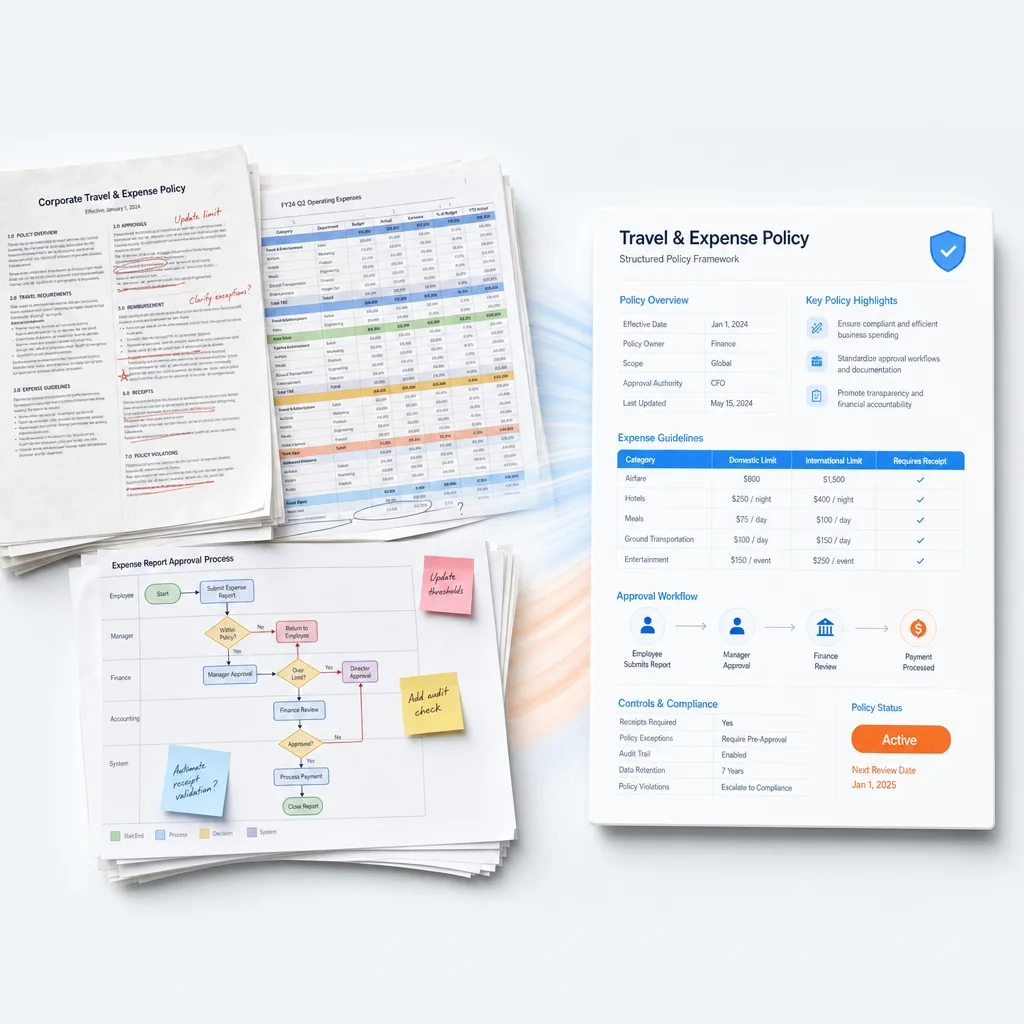
Business documents are built for human eyes. Stateless pipelines flatten PDFs, spreadsheets, and flowcharts into plain text. They drop visual logic and erase curated metadata whenever a file changes. Store company files in one persistent, AI-readable format so answers stay accurate as policies change.

BeforeAfter
Before

Every file runs through one generic OCR and Markdown dump

After

Each document type uses dedicated parsing into one format

Before

Tables, flowcharts, and footnotes flatten into plain text

After

Row headers, branch logic, links, and visual cues stay intact

Before

10–23% exact duplicates and old drafts fill search results

After

Content ROT is flagged, deduplicated, and governed continuously

Before

Rerunning a pipeline wipes curated metadata and approvals

After

Only changed facts re-verify while untouched context stays live

Before

Manual chunk tweaks and ad-hoc prompt patches stall after pilot

After

Contextual ontology with role-based permissions runs out of the box

Before

Unchecked answers hide outdated or conflicting policy rules

After

Quality-assured AI targets 97–99% answer precision

1

Why enterprise documents break AI

Plain text extraction strips out table headers, footnotes, cross-page references, and version status that determine the right answer.

Document layout carries critical rules.

Headings define which product a paragraph covers. Tables connect each value to its row and column headers. Footnotes limit or override the rule above them.

When a parser extracts plain text, those links disappear. AI reads the numbers without the rules that govern them.

original layoutplain text dump4.2 Return PolicyTierWindowLimitStandard30 days$250Enterprise90 days$500**Footnote overrides tableOpened hardware cappedat 14 days on all tiers.4.2 Return Standard30 days $250 Enterprise90 days $500* openedhardware 14 days allheaders lostscope detachedfootnote orphanedAI reads the numbers without the rules that govern them

Single passages depend on text elsewhere in the file.

Phrases such as “this coverage” and “the exceptions below” rely on definitions from earlier pages or tables in another section.

When retrieval returns one isolated passage, the model guesses the missing definitions.

scattered context across one documentPage 9 · hitRetrieved snippet“Eligible teams”get full credit,see Section 14.Page 2Definitions“Eligible team” =Full-time staff,90+ days tenurePage 14ExceptionsExcluded groups:Contractors &EMEA offices?missing def.?missing rulePage 9 alone is incomplete — AI guesses the restboth Page 2 and Page 14 govern the valid answer

Matching a sentence misses the governing conditions.

Enterprise answers depend on exact conditions: region, plan tier, effective date, and product line. A policy clause can match a question while applying to only one scenario.

Without attached conditions, AI quotes the general rule and misses the exclusion for that customer.

“Customers may request a full refund within 30 days.”matched text1. RegionUS & Canada2. Plan tierEnterprise3. ExclusionCustom SKUsentence alone“Yes, 30-day refund”misses product exclusionconditions attached“No — Custom SKU”applies exact rulegoverning conditions turn a keyword match into a valid answer

Drafts, old policies, and active rules look the same.

Expired memos and approved handbooks use the same formal wording. AI needs clear status, effective date, and audience metadata to select the governing file.

In audits of real company repositories, about 45% of files show no date and 65% have no audience marking.

identical formal wordingtrue statusTravel_Expense_v3_edits.docxDraftExpense_Handbook_2022.pdfExpiredGlobal_Expense_2026.pdfJan 2026 · Internal staffActive45%no visible datein audited repositories65%no audience taginternal vs. public unclear
2

Document types AI gets wrong most often

Core company rules sit inside long handbooks, multi-column tables, visual workflows, and scanned forms that standard extractors break.

Long manuals and multi-hundred-page handbooks.

Long manuals place a rule on page 12 and its exception on page 88. An LLM has no guarantee of connecting both sections.

Fixed retrieval windows split long procedures in half and fill context space with tables of contents.

180-page enterprise handbookTOC (1–9)p. 12p. 88p. 180Page 12 · ruleAuto-approve claimsunder $2,500retrieved by search76 ppPage 88 · EU capDirector sign-offrequired above $750missed 76 pages awayCross-references link Page 12 → Page 88 in one readboth the general rule and regional cap travel together

Conditional policies and procedures.

Eligibility rules, dollar caps, and exclusions span prose paragraphs, rate tables, and bottom-margin footnotes.

When extraction drops one footnote, AI gives the general refund rule and misses the product exclusion.

Returns_Schedule_4.2.pdfTierWindowLimitStandard30 days$250Enterprise90 days$500**Footnote 1Opened items capped at 14 days.footnote dropped“90-day refund”quotes table · misses capfootnote preserved“14-day cap applies”rule + footnote linkedone dropped margin note flips an enterprise policy answer

Flowcharts and visual workflows.

Text extraction keeps box labels and loses the arrows, branch conditions, and escalation loops that control the outcome.

File types can also mislead parsers. In enterprise audits, over two-thirds of files stored as decision trees were lookup tables or written policies.

visual workflowplain text dump1Claim intake> $1,000?NoAuto-approveYesRisk reviewDirector caploop if incompleteClaim intakeOver $1,000?Auto-approveRisk reviewDirector caparrows & loops lostbox labels survive OCR while branch logic disappears

Complex spreadsheets, rate tables, and graphics.

Spreadsheets make up under 10% of company files yet hold 50–70% of all words. They contain merged headers, hidden tabs, formulas, and color-coded status cells.

Character chunking kept table headers in fewer than 1% of spreadsheet chunks. Separating diagrams from their steps caused over 25% of visual questions to miss key illustrations.

Rate_Schedule_2026.xlsxfx=IF(D6>500, E6*0.85, E6)formula logicNorth America (merged)EMEA (merged)TierMin volStd rateDiscountStdCappedTier 1100$5.00$4.50€6.00€5.50Tier 2500$4.00$3.40€4.75€4.50Tier 31,500$3.50$2.98€4.25€4.00Active RatesExceptionsArchive_2024 (old)red fill = rate cap<1% headers kept in chunks50–70% of all wordsneeds table parser

Scanned and densely formatted files.

OCR mistakes enter before retrieval starts. Multi-column pages read out of order, crossed-out fees appear as active prices, and one wrong digit in a scanned table repeats in every downstream answer.

scanned 2-column pagewhat basic OCR seesA · Late FeesB · Waivers$25$35$15$25$75$500REVISEDReprint fee$5.00$0.00Reads “$5.00”strikethrough ignoredColumns mergedreads across gutterStamp droppedrevision cue missedone OCR error repeats in every downstream answer
3

How content ROT degrades enterprise AI

Duplicate copies, expired policies, and repeated boilerplate fill retrieval slots and push out the governing rule.

Redundant files crowd out critical exceptions

  • In audited company repositories, 10–23% of files are exact duplicates copied across shared folders.
  • Duplicate passages fill limited retrieval slots and displace the one clause that holds an exception or cap.

Obsolete policies produce confident wrong answers

  • Expired policies and old proposals match user queries cleanly and look authoritative when summarized.
  • AI retrieves and cites superseded text verbatim until old files are retired.

Trivial files and boilerplate lower precision

  • About 14% of words in audited company files are repeated headers, legal footers, and template notes. Another 15–35% of files are project trackers, test copies, or manuals for another team.
  • Filtering out low-value files lets retrieval focus on active policies and procedures.

Conflicting sources force AI to guess

  • When two documents state different fees, steps, or limits, an LLM has no way to know which rule governs and blends both into a wrong answer.

Version sprawl breaks accountability

  • Retrieving three revisions of one policy leaves AI guessing which effective date and region apply. Explicit version governance defines which source controls.
4

Why conventional data pipelines fail for documents

Stateless pipelines lose table and visual structure on day one, then wipe curated metadata and human approvals every time a file updates.

Loading a file hides extraction errors.

A pipeline can ingest 100% of company files while scrambling reading order, breaking tables, and dropping footnotes.

Each standalone parser category drops different elements. Legacy text extractors, Markdown converters, cloud OCR APIs, and open-source layout parsers each miss struck-out fees, hidden tabs, internal links, or flowchart arrows.

Parser categoryTablesScansLinksHiddenFlowsLegacy textMarkdown toolCloud OCROSS layoutAI-readable formatevery standalone parser misses a different document layer

Chunking splits rules and ignores authority.

Token limits separate a rule from its exception and detach a heading from its body. One complete answer often combines a definition on page 2, a table on page 9, and a footnote on page 12.

Individual atomic facts average fewer than 20 words, and chunkers still leave version conflicts unresolved.

where fixed token chunks break meaningChunk 14“Reimburse up to $500 per trip…”retrieved512-token cut boundaryChunk 15“…unless booked outside portal.”orphanedatomic facts average < 20 wordschunkers cannot verify authority

Markdown works for display and loses source fidelity.

Converting PDFs, spreadsheets, and slides directly to Markdown discards page coordinates, cell formulas, color meanings, hidden tabs, and source anchors.

When teams need higher precision later, they must re-parse the original files from scratch.

Source fileWords & headingsPage coordinatesSheet formulasColor rulesLink targets.mdflattenKeptReadable wordsbasic headings & listsDropped foreverPage coordinatesSheet formulasVisual color rulesEmbedded linksfine for chat display · incomplete as a system of record

Rerunning a stateless pipeline wipes built-up context. When a policy, rate sheet, or manual changes, a conventional pipeline re-processes the full file from scratch. That run erases enriched metadata, curated links, and human approvals.

Teams must either lose curation on every edit or stop updating and serve outdated rules. Living company knowledge needs a persistent format that updates selectively.

stateless pipeline rerunPolicy v21 clause editedre-ingests full fileFull re-chunknew chunk IDsoverwrites allContext wipedtags & links lostapprovals resetpersistent AI-readable formatPolicy v21 clause editeddelta isolated42 rules liveuntouched & safe1 edit → reviewPreservedcurated tags intactzero reworkliving policies update selectively without erasing human curation
5

How to process documents for reliable AI

Classify each file by type first, parse it into one persistent structure, map rules into an ontology, and run continuous QA.

1Classify document types before parsing.

Inspect what each file holds before picking a parser. In typical company repositories, five document types make up about 65% of all files.

Route policies, procedures, rate tables, flowcharts, and reference cards through parsers built for each format.

Files5 types ≈ 65%classify1Policiesrules, caps & footnotes2Proceduressteps & screenshots3Rate tablesheaders, formulas & tabs4Flowchartsbranches & loops5Reference cardskey-value recordsinspect file structure first, then run the matching parser

2Unify every file format into one persistent structure.

Keep the source file beside one structured document record that preserves reading order, tables, links, colors, and diagrams. Store AI-generated tags separately from source text.

Generate Markdown, HTML, and search indexes as clean views from that single record.

PDF PolicyRate XLSXFlowchartScanOne unified, persistent AI-readable recordSource layerexact words, order& coordinatesVisual & linkstables, diagrams,color & footnotesAI metadatastored separatelyupgrades cleanlyLLM Markdownclean prompt textVisual citationsexact page anchorsOntology feedtyped blocks & rulesevery downstream view projects cleanly from one source of truth

3Extract ontological structures and relationships.

Turn prose and tables into typed business objects inside an OntologyA structured map of your business concepts, rules, attributes, and relationships that gives AI an unambiguous model of how your organization operates.: products, policies, eligibility rules, fees, and exceptions. Attach clear ProvenanceTraceable links from every extracted fact or rule back to its exact source document, page, and version so answers stay auditable. from each fact back to its source page.

Agents read linked facts directly instead of stitching raw snippets together during a conversation.

Clause · p. 4Rate table · p. 9Footnote · p. 12PolicyRefund RuleWindow: 30dprovenance: p. 4Product tierEnterpriseCap: $500provenance: p. 9ExceptionCustom SKU14-day limitprovenance: p. 12appliescapsOne lookup returns rule + cap + exception + source pageagents read typed business facts with full provenance

4Add business context with a digital twin and selective updates.

Link extracted facts to audiences, regions, tiers, and workflows inside a Digital TwinA living, machine-readable model of your business knowledge, policies, and workflows that updates alongside your source documents. of the business.

When a source file changes, refresh layout moves automatically and send only edited facts to owners. Untouched rules and approvals stay live.

Region: EUTier: EnterpriseRole: SupportStatus: ActivePolicy v2 saveddiff detectedLayout move (p. 1 → p. 4)citation auto-refreshed · zero review42 untouched sibling rulesapprovals & context stay live!1 cap edited ($500 → $750)routed to policy owner for sign-offonly substantive changes ask for human review

5Monitor knowledge quality continuously.

Run automated checks across the structured layer to catch ROTRedundant, Obsolete, and Trivial content: duplicate files, outdated policies, and low-value boilerplate that crowd out accurate evidence in enterprise search and AI., contradictions between documents, missing rule conditions, and expired versions before answers reach users.

continuous quality monitoralways onContradictionFee mismatch ($40 vs. $25)flagged across 2 policies before answers!Duplicate ROT3 identical handbook copiesmerged to 1 active canonical sourceMissing ruleException lacks effective dateassigned to policy owner to completeIssues resolved before answers reach users
6

The document processing architecture you need

Four connected layers turn raw company files into permission-scoped, quality-assured AI answers.

Input
Source files
  • PDFs
  • Spreadsheets
  • Docs & slides
  • Flowcharts
AI Document Processing Stack
1
Document type routingIdentifies file type first
  • Policies
  • Procedures
  • Rate tables
  • Flowcharts
2
Knowledge ProcessorsParse & unify structure
  • Type parser
  • Tables & visuals
  • Unified format
3
Context BuilderOntologies & graph
  • Entities
  • Rules
  • Lineage
AI-Readable CorePersistent format & graph
  • Blocks
  • Tables
  • Relations
  • Links
4
Knowledge GovernanceCRUD editing tied to user groups and roles
  • Full CRUD
  • Review inbox
  • User groups
  • Selective sync
5
Quality Assurance MonitoringDetects ROT, contradictions, and coverage gaps
  • ROT checks
  • Contradictions
  • Gap alerts
  • Freshness
Output
Trusted AI
  • Copilots
  • Agents
  • Search
  • Workflows
Detail level
7

Impact of AI document transformation and QA

Dedicated document infrastructure replaces custom retrieval patches and raises accuracy across every team.

  1. Fill the missing AI stack layer

    Replace ad-hoc prompt chains, manual chunk tuning, and custom retrieval scripts with one governed system.

  2. Reach 97–99% answer precision

    Give AI models complete, contradiction-free evidence across policies, rate tables, footnotes, and diagrams.

  3. Ship auditable AI answers

    Ground every answer in quality-assured, permission-scoped facts that legal and compliance teams can verify.

  4. Scale across every department

    Reuse one document-to-knowledge layer across customer support, operations, finance, legal, and internal copilots.

8

Build in months or run it out of the box today

Building custom parsers, a persistent AI format, ontologies, RBACRole-Based Access Control: enforcing permissions by user group and role so AI surfaces only the knowledge and source citations a person is authorized to see. controls, and QA in-house takes months. Shelf Cortex ships all five ready to run.

3Cortex AI Knowledge Studiogoverned CRUD workspace · RBAC permissions & reviewEnterprise filesPDFs & scansSpreadsheetsFlowcharts & docsraw source documents1Cortex Document Convertertype-aware parsing & unification2Data Compression Enginecompact units · strips boilerplate4Cortex Intelligence Coreontology · rules · context graph5Cortex Sentinelcontinuous QA · catches ROT, drift & contradictionschecksalertsCopilots &AI apps97–99% QA precision
Cortex capabilityWhat it does
  • 1Cortex Document ConverterType-aware parsing of PDFs, spreadsheets, slides, flowcharts, and scans into one structured, AI-readable format.
  • 2Cortex Data Compression EngineCompresses long, multi-page files into compact knowledge units and strips repeated boilerplate text.
  • 3Cortex AI Knowledge StudioGoverned workspace to model, edit, and maintain structured knowledge blocks and ontologies with role-based permissions.
  • 4Cortex Intelligence CoreContextual ontology and graph layer connecting business entities, rules, and exceptions for 97–99% answer precision.
  • 5Cortex SentinelContinuous QA monitoring that flags ROT, drift, contradictions, and knowledge gaps before answers reach users.
Building in-houseCortex out of the box
Building in-house

6–12 months to build parsers, storage, governance, and QA

Cortex out of the box

Production-ready document-to-knowledge stack in days

Building in-house

Separate pipelines for PDFs, spreadsheets, slides, and flowcharts

Cortex out of the box

One unified converter across every enterprise file format

Building in-house

Re-ingestion wipes enriched metadata and forces manual rework

Cortex out of the box

Persistent format updates selectively and keeps context intact

Building in-house

Manual spreadsheet audits to catch ROT and contradictions

Cortex out of the box

Always-on Sentinel monitoring for drift, duplicates, and gaps

Building in-house

Separate per-team retrieval scripts that stall after pilot

Cortex out of the box

One shared foundation for every AI agent and department

Send us five of your hardest company documents (a dense policy, a merged rate table, or a visual workflow) and see them transformed into quality-assured, AI-readable knowledge.

Talk to an Expert